Setting up Traefik with Automatic SSL
Zero-touch certificate renewal for 30+ services – a production-ready Traefik v2 configuration.
The Problem
When you manage 30+ web services across multiple servers, manually generating SSL certificates for each one quickly becomes a nightmare.
- Renewing certificates every 90 days? Impossible at scale.
- Managing certificate files across multiple containers? Error-prone.
- Exposing services to the internet without proper encryption? Unacceptable.
I needed a single, automated entry point that would:
- Terminate SSL for all services.
- Automatically renew certificates without intervention.
- Route traffic to the correct backend service based on domain.
- Support both internal and externally-hosted services.
Enter Traefik.
Architecture Overview
My approach treats Traefik as the “Edge Gateway” — the single point of entry for all HTTP/HTTPS traffic.
Internet → Traefik (Docker) → Backend Services (containers + external hosts)
                │
                ├── Automatic SSL (Let's Encrypt)
                ├── Dynamic routing (based on Host rule)
                ├── HTTP → HTTPS redirect
                └── Dashboard + Basic Auth (secure internal access)
Key design decisions:
| Decision | Why |
|---|---|
| Docker-based deployment | Portable, maintainable, and self-contained. |
External network (traefik-net) | Allows containers on different compose stacks to communicate through Traefik. |
| File provider for dynamic config | Supports services not running in Docker (e.g., physical hosts, VMs). |
| HTTP Challenge (port 80) | Simpler than DNS challenge; no extra API keys required. |
Dedicated letsencrypt/ volume | Certificate persistence across container restarts. |
The Docker Compose Configuration
Here’s the production docker-compose.yml I run:
version: '3.7'

services:
  traefik:
    image: traefik:v2.10
    container_name: traefik
    restart: always
    command:
      # Dashboard (available on dash.example.com with auth)
      - "--api.insecure=true"  # Required for dashboard; secured with middleware below

      # Providers: Docker + dynamic files
      - "--providers.docker=true"
      - "--providers.docker.exposedByDefault=false"  # Only expose containers with explicit labels
      - "--providers.docker.network=traefik-net"
      - "--providers.file.directory=/etc/traefik/dynamic"
      - "--providers.file.watch=true"

      # Entry points
      - "--entrypoints.http.address=:80"
      - "--entrypoints.https.address=:443"

      # Let's Encrypt HTTP Challenge
      - "--certificatesresolvers.letsEncrypt.acme.httpchallenge=true"
      - "--certificatesresolvers.letsEncrypt.acme.httpchallenge.entrypoint=http"
      - "--certificatesresolvers.letsEncrypt.acme.email=your@mail.com"
      - "--certificatesresolvers.letsEncrypt.acme.storage=/letsencrypt/acme.json"

    ports:
      - "80:80"
      - "443:443"
    volumes:
      - "/var/run/docker.sock:/var/run/docker.sock:ro"
      - "./letsencrypt:/letsencrypt"
      - "./dynamic:/etc/traefik/dynamic"
      - "./data/custom/:/custom/:ro"
    labels:
      # Enable Traefik for this container
      - "traefik.enable=true"

      # Dashboard route (protected with Basic Auth)
      - "traefik.http.routers.traefik_dash.rule=Host(`dash.example.com`)"
      - "traefik.http.routers.traefik_dash.entrypoints=http"
      - "traefik.http.routers.traefik_dash.service=api@internal"
      - "traefik.http.routers.traefik_dash.middlewares=auth"
      - "traefik.http.middlewares.auth.basicauth.users=admin:$$apr1$$TXXXXXn$$oyOj9EjnzzEkr****"

    networks:
      - traefik-net

networks:
  traefik-net:
    external: true
Important Notes
-
Dashboard Access: The dashboard is exposed at
dash.example.comwith HTTP Basic Auth. The password hash is generated usinghtpasswd -nb admin yourpassword. -
exposedByDefault=false: This is critical. It prevents accidental exposure of new containers. You must explicitly label each container withtraefik.enable=trueto route traffic. -
Persistent Certificates: The
./letsencrypt/acme.jsonfile stores certificates. It’s mounted as a volume to survive container restarts.
Testing with a Sample Service
I use the traefik/whoami container as a test service:
services:
  whoami:
    image: "traefik/whoami"
    container_name: "whoami"
    labels:
      - "traefik.enable=true"
      - "traefik.http.routers.whoami.rule=Host(`example.com`)"
      - "traefik.http.routers.whoami.entrypoints=https"
      - "traefik.http.routers.whoami.tls.certresolver=letsEncrypt"
    networks:
      - traefik-net
This automatically:
- Routes
https://example.comto thewhoamicontainer. - Issues a Let’s Encrypt certificate on first request.
- Renews it automatically before expiration.
Dynamic Configuration (File Provider)
For services not running in Docker (e.g., a Piwigo instance on a separate physical host 99.99.99.99:2222), I use static YAML files in the ./dynamic/ directory.
HTTP Route (Port 80)
# dynamic/2222_http_piwigo.yml
http:
  routers:
    2222-http-router1:
      entryPoints:
        - http
      service: 2222_piwigo_n1
      rule: Host(`example.com`)
  services:
    2222_piwigo_n1:
      loadBalancer:
        servers:
          - url: http://99.99.99.99:2222/
        passHostHeader: true
HTTPS Route (Port 443)
# dynamic/2222_piwigo_n.yml
http:
  routers:
    2222-http-router:
      entryPoints:
        - https
      service: 2222_piwigo_n
      rule: Host(`example.com`)
      tls:
        certResolver: letsEncrypt
  services:
    2222_piwigo_n:
      loadBalancer:
        servers:
          - url: http://99.99.99.99:2222/
        passHostHeader: true
Automatic HTTP → HTTPS Redirection
To enforce HTTPS for all traffic, I use a middleware:
# dynamic/4039_web_subname.yml
http:
  routers:
    4039-http-router:
      entryPoints:
        - http
      service: 4039_web_apache
      rule: Host(`subname.example.com`)
      middlewares:
        - redirect-to-https

    4039-https-router:
      entryPoints:
        - https
      service: 4039_web_apache
      rule: Host(`subname.example.com`)
      tls:
        certResolver: letsEncrypt

  middlewares:
    redirect-to-https:
      redirectScheme:
        scheme: https
        permanent: true

  services:
    4039_web_apache:
      loadBalancer:
        servers:
          - url: http://99.99.99.99:8080/
        passHostHeader: true
Result: Any request to http://subname.example.com is redirected to https://subname.example.com automatically (HTTP 301 permanent redirect).
The Dashboard
Traefik provides a web dashboard at /dashboard/ (or custom domain). With my configuration, it’s available at dash.example.com:
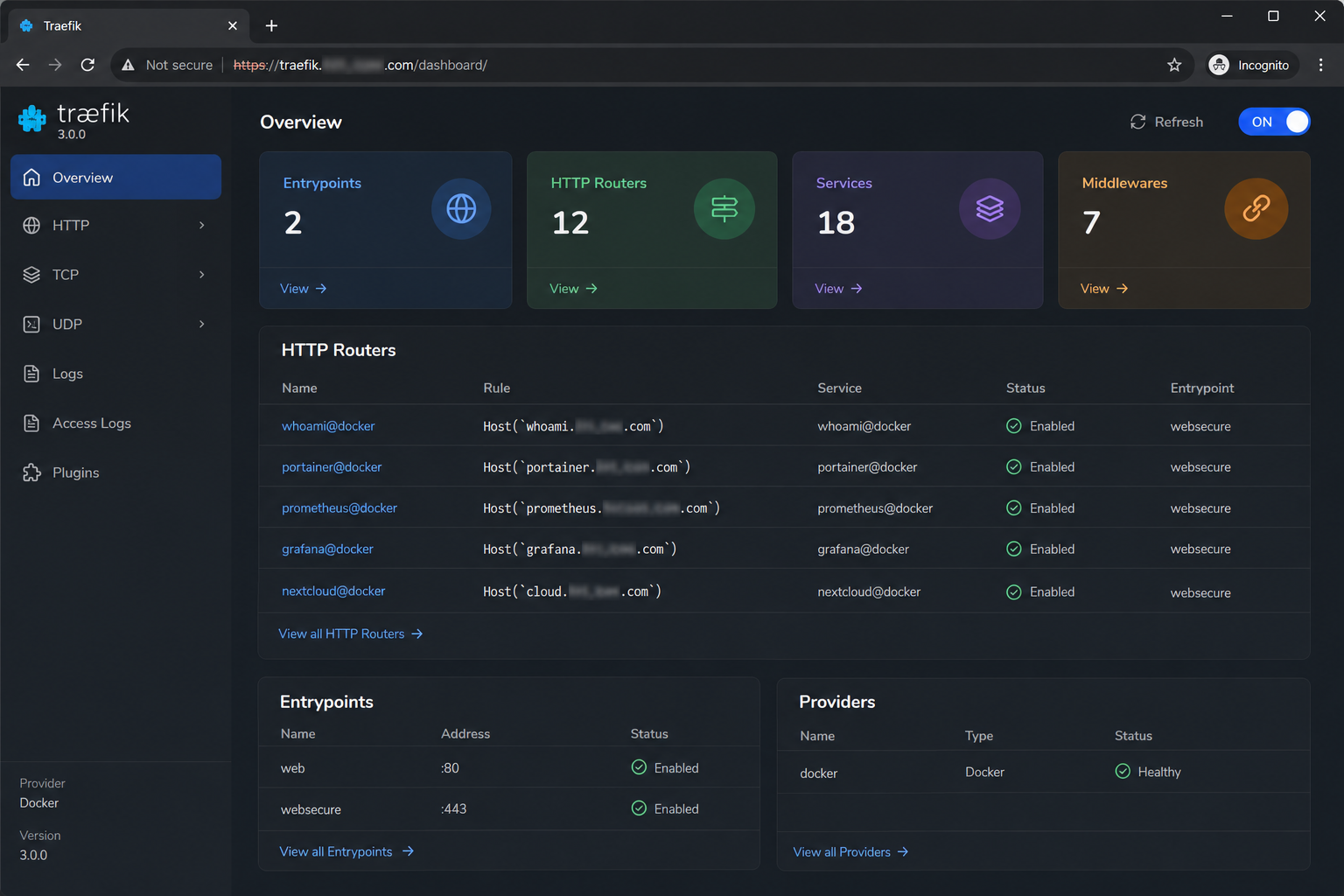
The dashboard shows:
- All active routers and services.
- TLS status for each route.
- Live traffic information.
Security: Protected with HTTP Basic Auth to prevent public access.
Certificate Renewal in Action
Let’s Encrypt certificates are valid for 90 days. Traefik automatically attempts renewal 30 days before expiration.
If a certificate cannot be renewed (e.g., domain not resolving), Traefik will:
- Attempt again on the next schedule.
- Continue serving the existing certificate until it expires.
- Log errors to the container logs for debugging.
My advice: Monitor the Traefik logs and set up alerts (e.g., in Grafana) for failed ACME challenges.
Key Takeaways
| Concept | Implementation |
|---|---|
| Zero-touch SSL | Let’s Encrypt + HTTP Challenge eliminates manual certificate management. |
| Scalability | 30+ services handled with zero config duplication. |
| Mixed Workloads | Supports both Docker containers and external hosts via file provider. |
| Security | Basic Auth on dashboards, HTTP → HTTPS redirect, and exposedByDefault=false. |
| Maintainability | Dynamic config reloads automatically on file changes. |
Final Thoughts
This setup has been running 24/7 for months, handling traffic for 30+ services including WordPress, Nextcloud, Matrix, Rocket.Chat, Laravel apps, and IoT dashboards. It requires zero manual intervention for certificate renewal — I’ve never had to touch the acme.json file.
The architecture is battle-tested, proven, and scales to 100+ services with ease.
This is part of my Industrial Infrastructure Platform (II-PaaS). For detailed architecture diagrams or a technical walkthrough, feel free to reach out.